Implementing Under-Display Face Authentication with Metalenz Polar ID: A Step-by-Step Guide
Overview
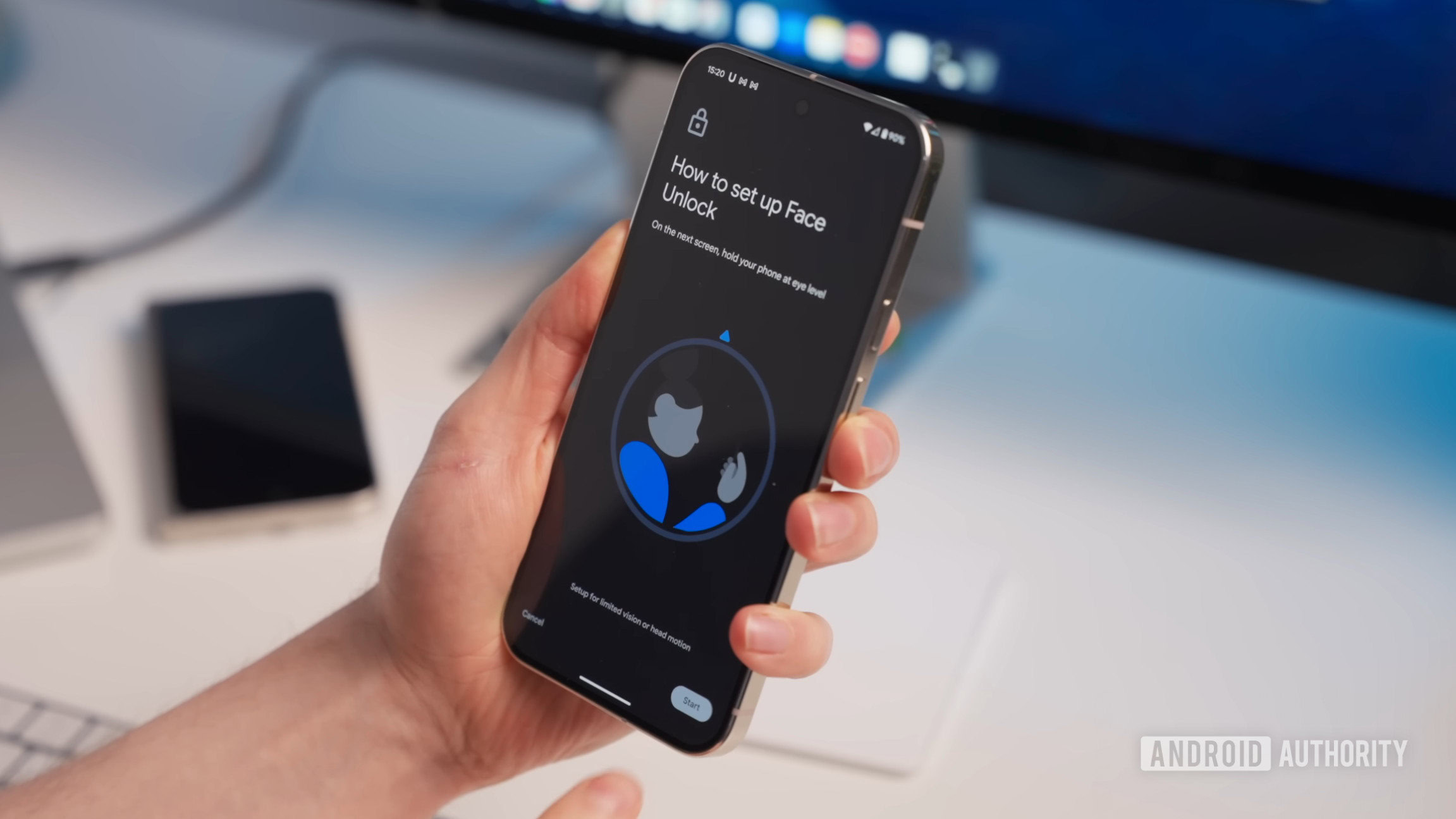
For years, smartphone manufacturers have dreamed of a truly bezel-less, notch-free display. Apple’s Face ID, while secure, has been impossible to hide under the screen without degrading performance. Android OEMs, wary of security compromises, simply avoided the challenge. Enter Metalenz, a Boston-based optics startup that unveiled Polar ID Under Display at Display Week. This technology uses a revolutionary metasurface that reads polarized light, achieving a claimed 0% spoof rate while operating under a fully active OLED panel. In this guide, we’ll walk through the core concepts, prerequisites, implementation steps, and common pitfalls of deploying this game-changing authentication method.
Prerequisites
Before diving into the implementation, ensure you have the following:
- Understanding of optical authentication: Familiarity with how traditional Face ID (dot projector, infrared camera) works.
- Hardware: An OLED display module with known pixel layout and brightness uniformity. A Metalenz Polar ID sensor array (prototype or development kit).
- Software: Drivers for the metasurface sensor, a microcontroller or application processor with SPI/I2C interface, and a basic calibration tool (e.g., Python with OpenCV for test patterns).
- Lab environment: Controlled lighting, a dummy face model (with known polarization properties), and a high-quality polarizing filter for validation.
Step-by-Step Implementation
1. Understanding Metasurfaces and Polarized Light
Metalenz ditches traditional cameras and dot projectors. Instead, it uses a thin, flat array of nanostructures (metasurfaces) that manipulate the phase and amplitude of incident light. These metasurfaces are designed to be sensitive to polarization: the orientation of electric field oscillations. Human faces reflect light in a unique polarization pattern due to skin microtopography, subsurface scattering, and moisture. The Polar ID sensor captures this pattern.
Key concept: Unlike Apple’s Face ID which maps depth, Polar ID maps the polarization signature of the face. This signature is nearly impossible to spoof with masks, photos, or even silicone imitations because they don’t replicate the exact polarization behavior of living skin.
2. Integrating Under the OLED Display
The biggest challenge is placing the sensor beneath an active display. Standard CMOS image sensors are blocked by OLED pixels. Metalenz overcomes this by using a narrowband metasurface array that operates in the near-infrared spectrum (e.g., 940 nm) where OLED transparency is higher. Additionally, the display pixels are driven with a fine-tuned duty cycle to minimize interference.
Practical steps:
- Mount the sensor module directly behind the OLED panel, aligned with the region where you’d normally place a punch-hole camera. The module must be in direct contact or with a minimal air gap to avoid refraction.
- Calibrate the display to emit a sequence of low-luminance test patterns while the sensor captures the background polarization noise. This baseline is subtracted from the subsequent face readings.
- Sync timing: Use a vertical blanking interval (VBI) signal from the display driver to trigger sensor capture when the pixels directly above the sensor are in their “off” state (lowest emission). This reduces stray light contamination.
3. Capturing the Polarization Signature
Once integrated, the sensor captures four polarization images at 0°, 45°, 90°, and 135° orientations. The metasurface can be patterned into a superpixel array (like a Bayer pattern for polarization). Each superpixel contains four sub-pixels with different polarizer orientations. The sensor outputs a Stokes vector (S0, S1, S2) per superpixel, describing the complete polarization state.
Code snippet (Python pseudocode):
import numpy as np
# Assume raw_sensor_data is 2D array with quad-pixels
I0 = raw_sensor_data[::2, ::2]  # 0°
I45 = raw_sensor_data[::2, 1::2]  # 45°
I90 = raw_sensor_data[1::2, ::2]  # 90°
I135 = raw_sensor_data[1::2, 1::2]  # 135°
# Compute Stokes parameters
S0 = (I0 + I45 + I90 + I135) / 2
S1 = I0 - I90
S2 = I45 - I135
# Degree of Linear Polarization (DoLP)
DoLP = np.sqrt(S1**2 + S2**2) / S0
# Angle of Polarization (AoP)
AoP = 0.5 * np.arctan2(S2, S1)
These Stokes maps become the biometric template.
4. Ensuring 0% Spoof Rate
Metalenz claims that spoofing Polar ID is virtually impossible because the polarization pattern from a real face changes with blood flow and hydration. To verify liveness, the system takes a rapid sequence (10–20 ms) and checks for temporal changes in the Stokes parameters. Additionally, the metasurface can be designed to be sensitive to circular polarization (left vs right) which differs between reflection from skin vs non-organic materials.
Implementation:
- After capturing a face, compute the cross-correlation between consecutive Stokes maps. A living face shows micro-movements (pulse, subtle muscle tremors) that create measurable decorrelation.
- Compare the measured polarimetric signature against a database of known spoof materials (silicon, latex, printed images) using a machine learning classifier (e.g., SVM or small neural network).
5. Testing and Deployment
Test the system under various conditions:
- Active display interference: Set the OLED to maximum brightness and check signal-to-noise ratio.
- Angle dependence: Ensure authentication works within ±30° off-axis.
- Spoof attempts: Use high-quality masks, 4K screens, and 3D printed faces.
For deployment, the output of the authentication algorithm (match score) must be integrated with the device’s Trusted Execution Environment (TEE) to prevent tampering.
Common Mistakes
Improper Calibration of Display Interference
Failing to measure and subtract the display’s own polarization noise leads to false rejections. Always run a calibration routine with the display showing a black screen (pixels off) and then a white screen.
Misalignment of the Metasurface
Even a 0.5 mm offset can cause ghosting or reduced polarization sensitivity. Use precision alignment jigs and optical alignment markers.
Ignoring Display Variability
Different OLED panels (even from same manufacturer) have varying transparency at IR wavelengths. Characterize each panel batch individually.
Overfitting the Biometric Template
Using a single template per user can fail if the polarization signature changes with skin hydration or makeup. Store multiple templates (morning, afternoon, after washing face).
Summary
Metalenz’s Polar ID Under Display marks a paradigm shift in face authentication. By replacing cameras with metasurfaces that read polarized light, it achieves both a notch-free design and bank-grade security (0% spoof rate). This guide covered the essential steps: understanding metasurfaces, integrating under OLED, capturing Stokes parameters, implementing liveness detection, and avoiding common pitfalls. As OLED technology matures, Polar ID could become the new standard for secure, seamless unlocking.
Related Articles
- Flutter Embraces Swift Package Manager: CocoaPods Era Ends with v3.44
- From Idea to App in 10 Minutes: A 20-Day Flutter & Antigravity Challenge Guide
- React Native 0.84: Hermes V1 Now Default, Faster Builds and Legacy Cleanup
- From Demo to Production: Building Reliable AI Features in Flutter
- React Native 0.79 Delivers Major Performance Gains and Tooling Overhaul
- iPhone 18 Pro Dynamic Island: Separating Fact from Fiction
- Exploring React Native 0.78: React 19 Integration and Key Enhancements
- The Rise of Vibe Coding in App Development: Opportunities and Apple’s Caution